Invoice faster. Get paid on time.
MetroPay helps service businesses create branded invoices, accept online payments, automate payment reminders, and keep every outstanding balance in view.
Every workspace starts free. No card on file. Nobody is charged without choosing a plan.
- 0payments held by MetroPay. They settle in your own Stripe or SSLCommerz account.
- 7PDF layouts, with your logo and letterhead.
- 11currencies, formatted the way your customer reads them.
- 4team roles that keep money actions with the right people.
Follow one invoice. Four states, one page.
These are the states an invoice moves through in MetroPay, in the same order and colours as its status timeline. Every screen below is the real product.
Step 1 of 4: Created.
Start with a checklist, not a blank page.
Pick a customer and their currency and payment terms come with them. The checklist beside the form says what is left before the invoice can go, and the preview shows exactly what your customer will receive.
Read about it: created invoices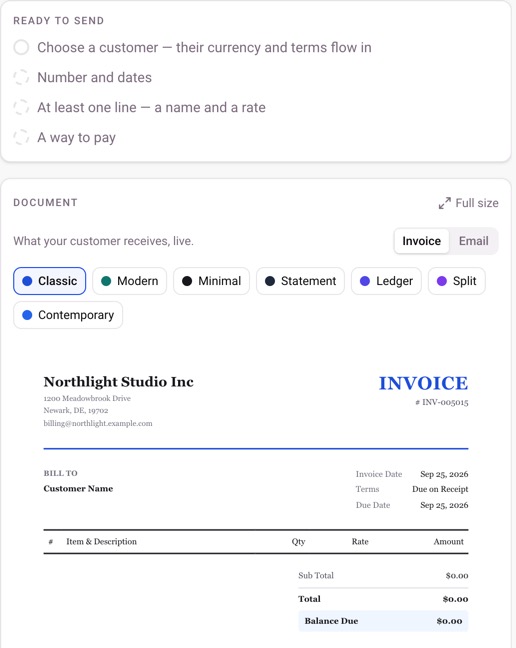
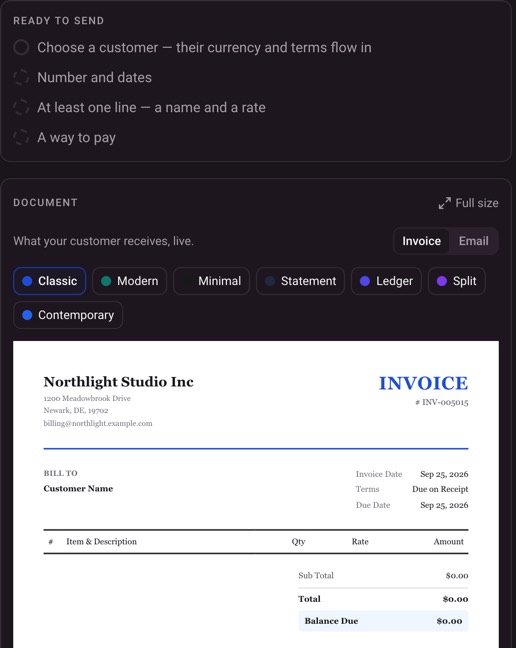
Ready to send. Four things, ticked off as you go.
Seven layouts. Classic to Contemporary, previewed live.
What they receive. The same page becomes the PDF and the email.
Step 2 of 4: Sent.
Send it once. Watch where it goes.
The invoice page keeps everything in one place: the document, what has been paid, what is still owed, and every step it has taken since you pressed Send.
Read about it: sent invoices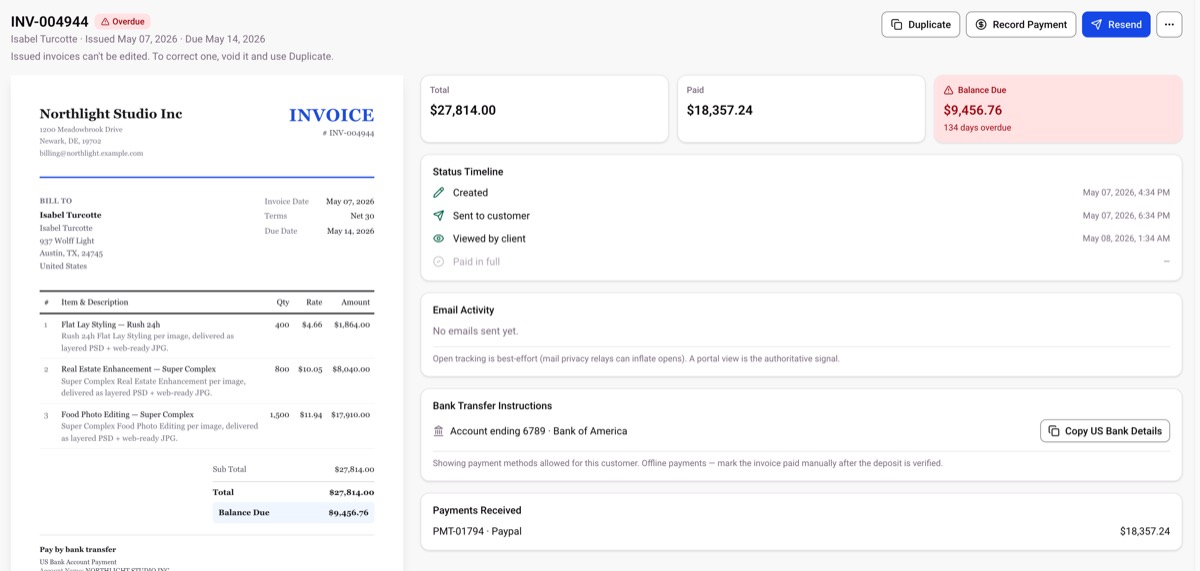
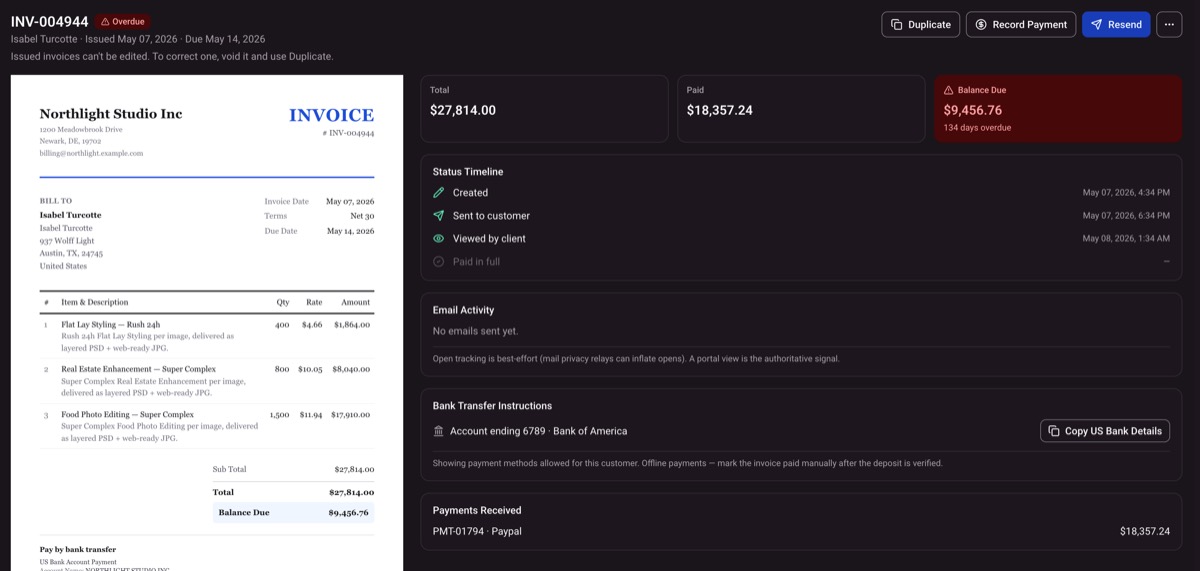
The document. Exactly what your customer sees.
What is owed. The balance due, and how many days late.
Every step, time-stamped. Created, sent, viewed, paid.
How to pay. Bank details your customer can copy.
Step 3 of 4: Viewed.
Know who to chase, and when.
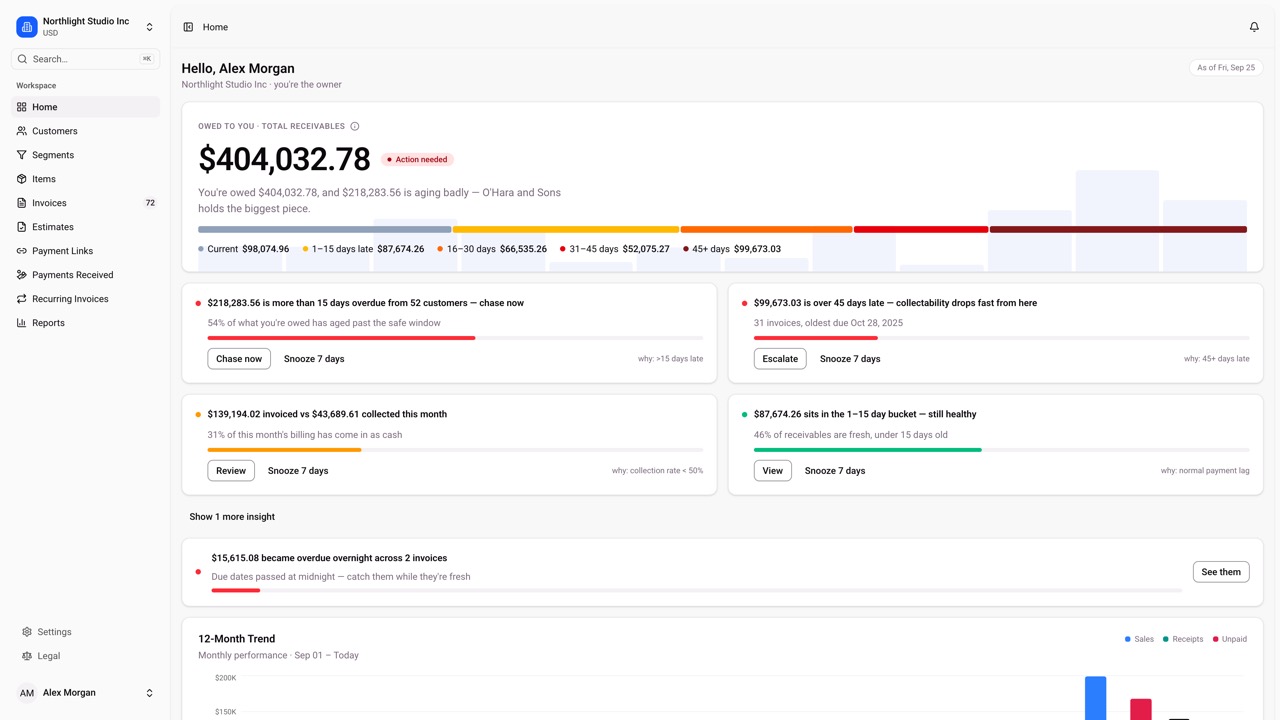
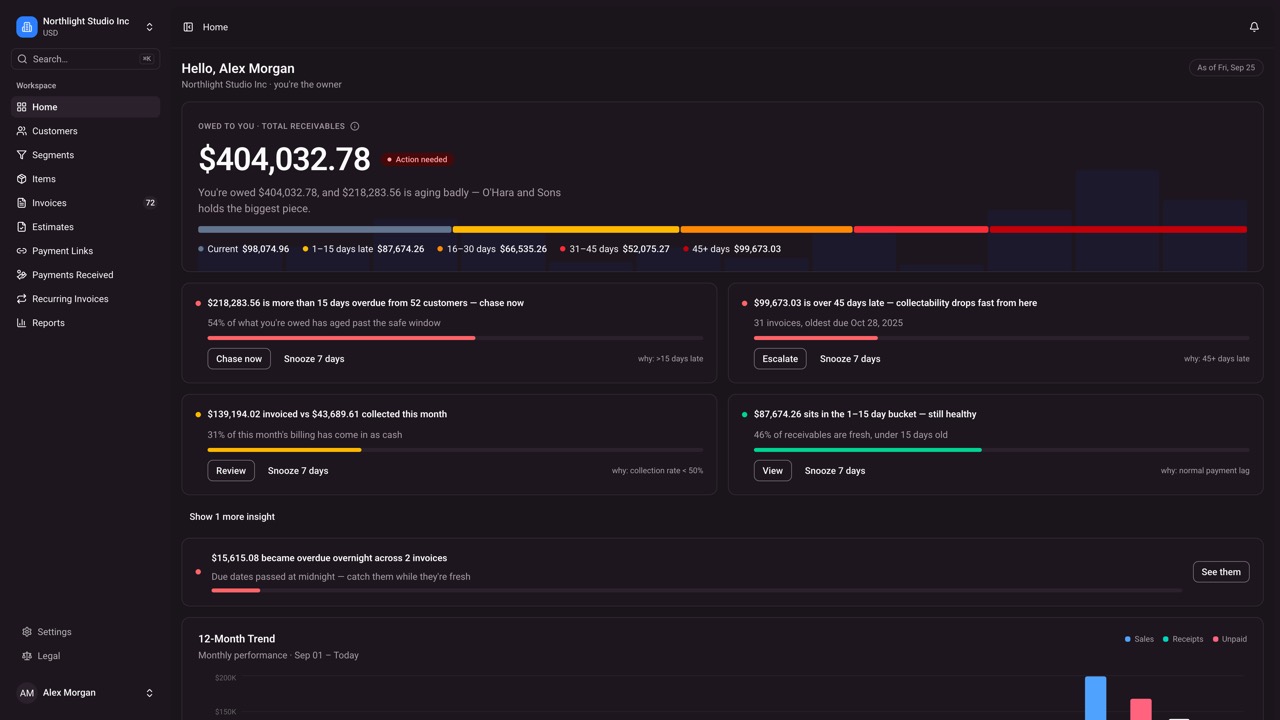
Your dashboard turns what you are owed into plain sentences: how much is late, who holds the biggest piece, and the next thing to do about it. Snooze what can wait.
Read about it: viewed invoices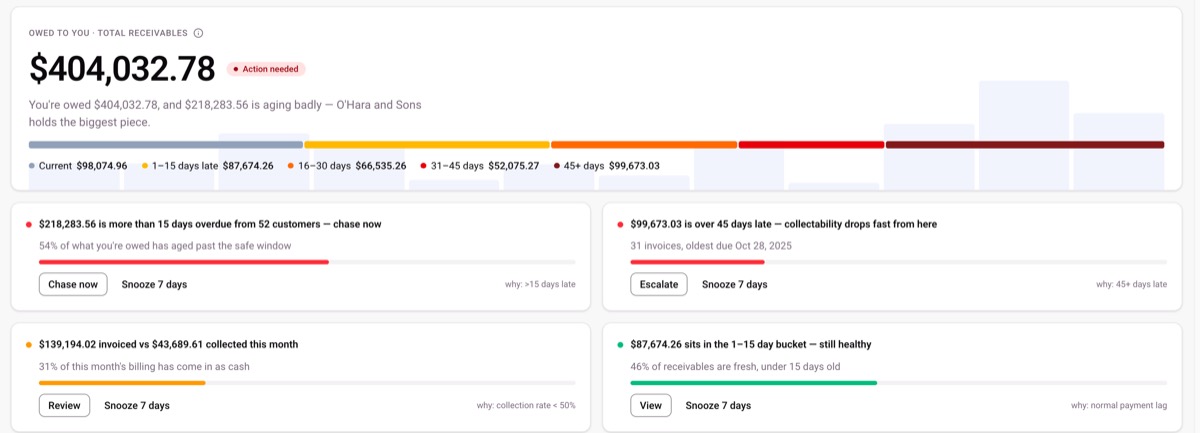
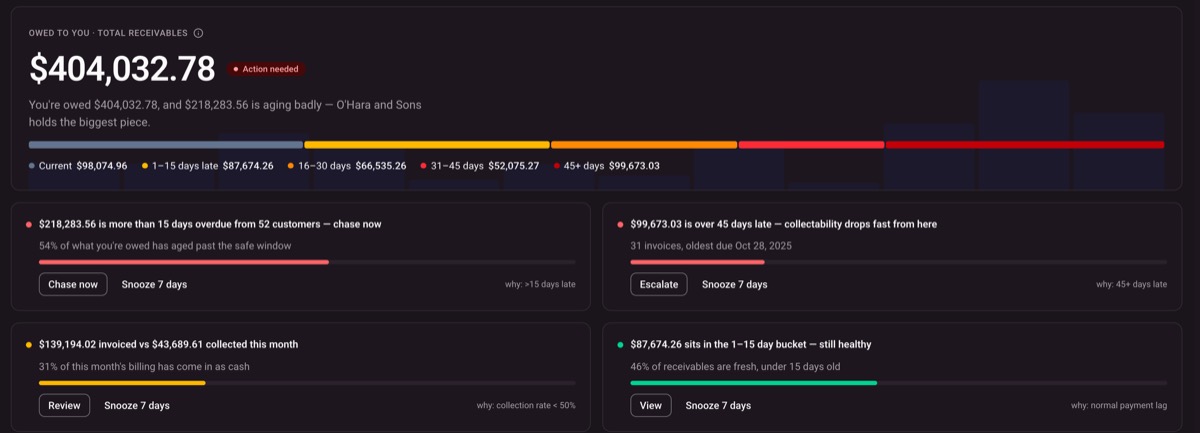
Owed to you. One number, with why it matters.
Aging at a glance. Current to 45 days late, colour-coded.
One-click follow-up. Chase now, escalate, or snooze for 7 days.
Always says why. Each suggestion shows the rule behind it.
Step 4 of 4: Paid.
Paid in full. Then it happens again.
Retainers run on their own schedule, and each period arrives as a draft for you to check first. Your cash view fits in your pocket too.
Read about it: paid invoices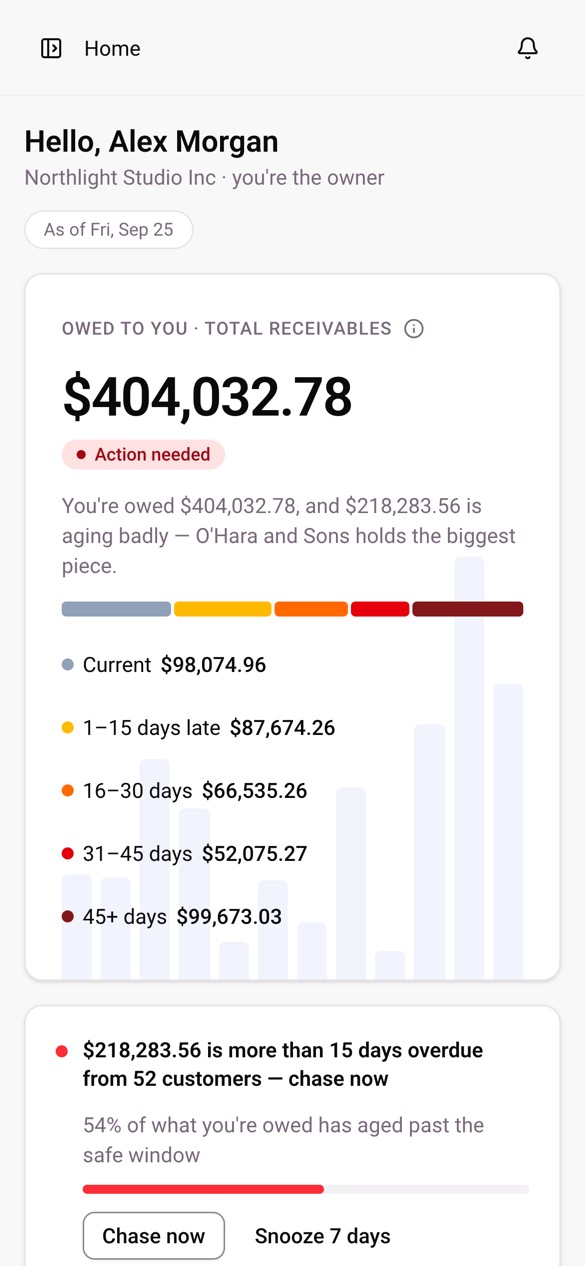
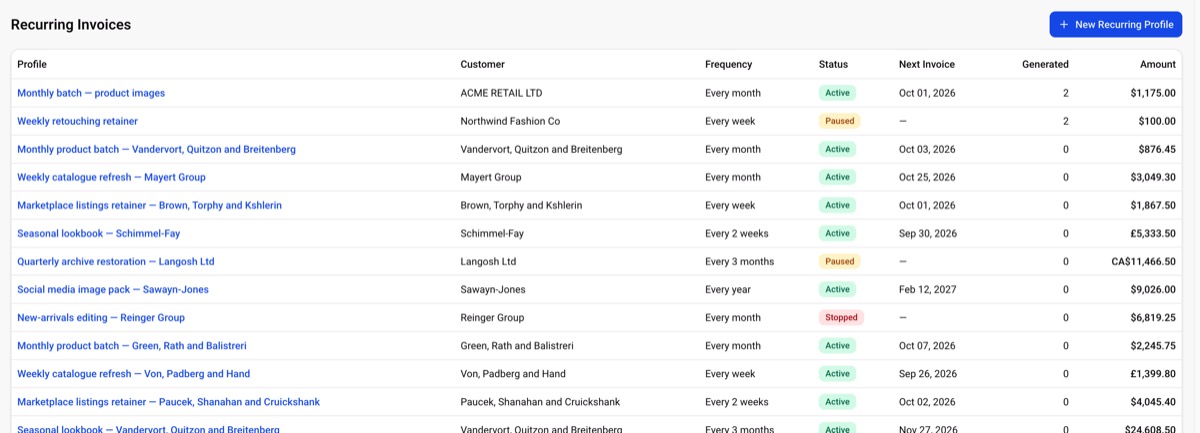
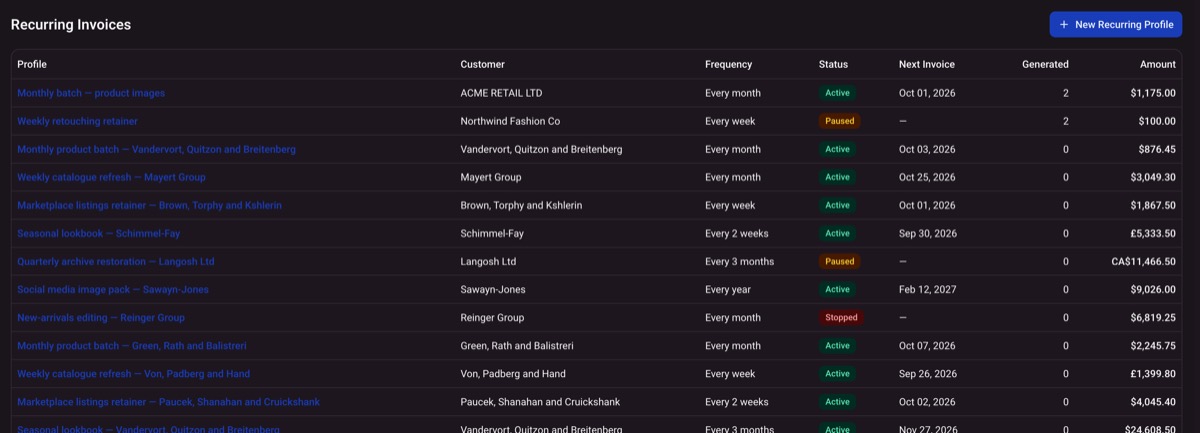
Any rhythm. Weekly, every two weeks, monthly, quarterly or yearly.
Active, paused or stopped. Change a retainer without losing its history.
Each in its own currency. Dollars, pounds and Canadian dollars side by side.
Screenshots taken from a demo workspace. Northlight Studio Inc and its customers are fictional.
Everything you need to bill and get paid
Every feature in one workspace. Anything optional or off by default is labelled here, so nothing surprises you later.
Online invoicing
Create a branded invoice, email it with a payment link, and see at a glance whether it is draft, sent, paid or overdue.
Estimates
Quote the work, let the customer accept online, and turn the approved estimate into an invoice. An optional module you switch on per workspace.
Optional moduleOnline payments
Customers pay by card or mobile wallet on the invoice page, through your own Stripe account, or SSLCommerz in Bangladesh. MetroPay never holds the money.
Payment links
A shareable link for a deposit, a retainer or any amount, with an optional expiry date, without writing a full invoice.
Recurring invoices
Bill retainers and repeat work on a schedule. Each period arrives as a draft you review; sending automatically is off until you turn it on.
Off until you turn it onPayment reminders
Polite follow-ups before and after the due date, with a record of every reminder sent. Off until an owner turns them on.
Off until you turn it onInvoice templates
Seven PDF templates, your logo and letterhead, your own numbering, and custom fields, so every document looks like yours.
Customer pages
Every invoice, estimate and payment link has its own page: view it, download the PDF, pay online, or report a bank transfer. A link, not a login.
Reporting
Receivables aging, sales by customer, sales by item, and payments received. What you are owed, and who owes it.
Team permissions
Owner, Admin, Accountant and Staff roles keep money actions with the people who should have them.
Built like a ledger. Not like a wallet.
Your own payment account.
Card payments settle in the Stripe account you connect, or SSLCommerz in Bangladesh, under your own agreement with the provider.
A record that stays true.
Recorded payments are never edited or deleted. A correction is a new entry, so the history always adds up.
Nothing sends by itself.
Reminders and automatic recurring sends stay off until an owner turns them on, and every email is logged against its invoice.
Sign-in you can trust.
Two-factor authentication and passkeys, and every workspace kept apart from every other.
Questions people ask before they start
Send your first invoice today
Every workspace starts free, with no card on file. Add a customer, send an invoice, and watch it move from Sent to Paid.